dc-bot
63dea99371
dc-bot
63dea99371
- Live formulas (HARDFORMULA/SOFTFORMULA) with HyperFormula in dcc-validations
- Formula Rules section with column-name syntax, DC.* literals, editor behaviour
- MPE_VALIDATIONS table doc: add HARDFORMULA/SOFTFORMULA to RULE_TYPE values
- Roadmap: mark Frontend Formulae and Regex Rules as delivered
- SAS VA Embed: document Live vs Confirm filter modes and pending-changes UX
- ViewBoxes: document edge/corner drag resizing
- Licensing: combined-key paste, live key preview, protocol mismatch guard
- CAS Tables: REPLACE load type support and temp table cleanup
- Editor: native date/time pickers, paste-validation overlay, row status indicators
- Stage page: Formatted/Unformatted toggle on the approvals screen
- Viya deploy: configurator overhaul, deploy checks, login page UX
- Index page: add live formulas and VA embed to features list
1.2 KiB
1.2 KiB
layout, title, description, og_image
| layout | title | description | og_image |
|---|---|---|---|
| article | ViewBoxes | Position up to 6 additional tables alongside your main EDIT or VIEW grid in Data Controller for SAS® | https://docs.datacontroller.io/img/viewboxes.png |
ViewBoxes
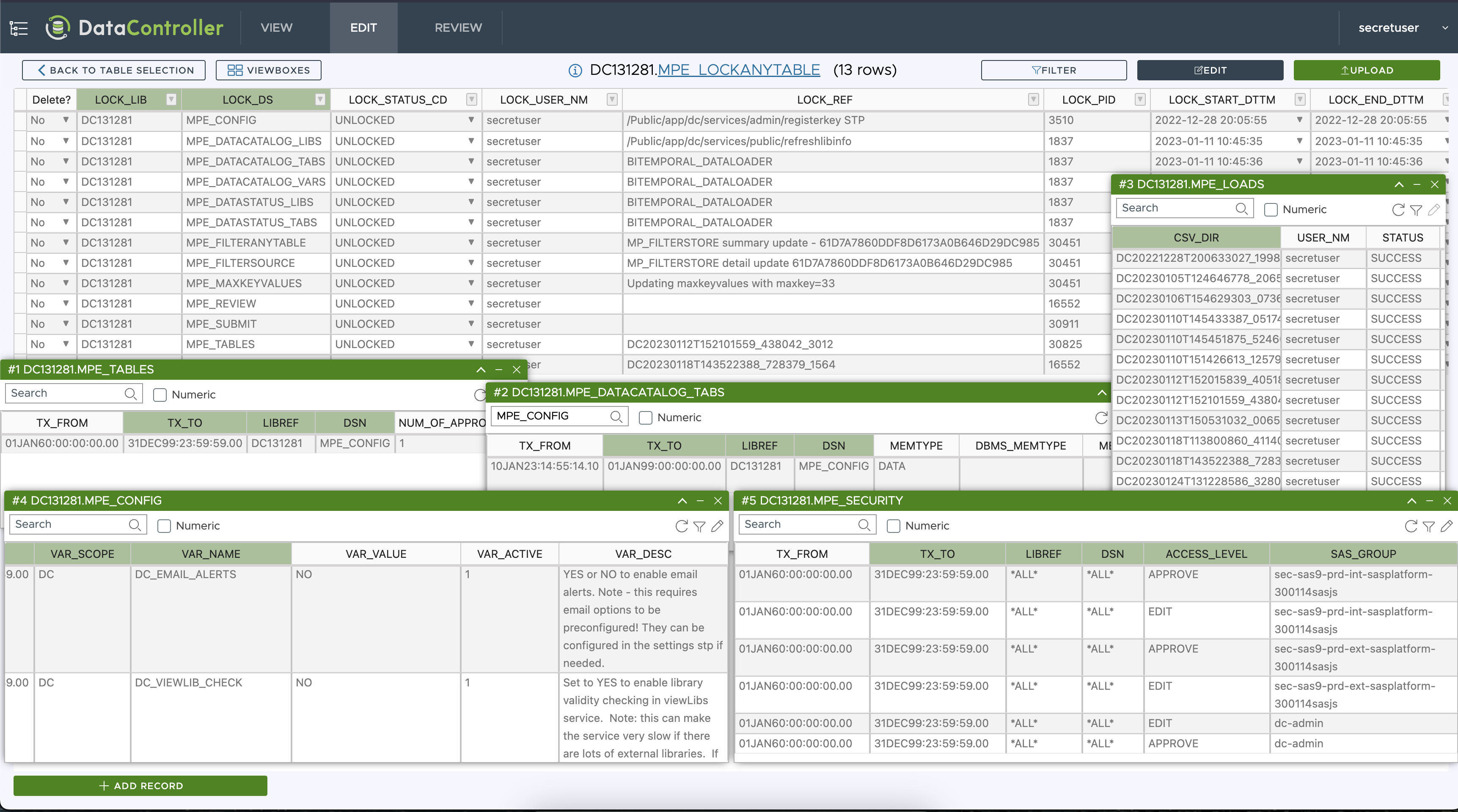
Often when editing (or examining) raw data, it is helpful to see it alongside related information in other tables. With ViewBoxes you can align up to 6 other tables in front of your main grid, in both the VIEW and EDIT menu.
Each individual viewbox has the following features:
- Choose the columns to display (and which order)
- Resize individual boxes by dragging any of the four edges or corners (or reset to original)
- Full filtering capability (complex clauses)
- Minimise / Restore all, or individually
- Reposition - manually, or snap to grid
- Open in Editor (if an editable table)
- Primary Key highlighting
- Frontend sorting
- Search all data
- Open in Viewer
All of the above information (except search and frontend sort) is stored in the URL - so you can share a link to a complex ViewBox setup with a colleague, who can then open the same view of the data.